If your character walks off on its own in Zelda, or the camera keeps spinning in Splatoon while your thumbs are nowhere near the sticks, your Joy-Con is probably drifting. Before you buy a new pair or ship anything to Nintendo, run a quick Joy-Con drift test and see exactly what your sticks are doing. It takes about a minute, works right in your browser, and needs no downloads. You get clear numbers for each stick, so you can tell real hardware drift apart from a game acting up.
How to Run the Test
- Open this page in Chrome or Edge on a desktop or laptop.
- Pair your Joy-Con to the computer over Bluetooth. Your PC will list the left and right Joy-Con as two separate controllers, which is normal. Use the controller picker on the page to test each one on its own.
- Press any button once so the browser wakes the controller up. Browsers only read gamepads after you interact with the page.
- Set the Joy-Con down flat and keep your hands off the sticks. Watch the stick dot and the axis numbers for 30 to 60 seconds.
- Repeat for the other Joy-Con. Drift often hits one side first, and many Switch owners report the left stick going before the right.
How to Read Your Results
At rest, a healthy stick sits at or very close to 0.00 on both axes. Tiny wobble under about 0.05 is normal, since every stick has a little sensor noise. If the dot keeps wandering outside the center zone, or the resting value climbs past 0.10 and stays there, you have drift. Note the direction and the size: a steady 0.20 pull to one side is mild, while a stick that never returns to center is severe. If you also play on PC, our controller deadzone tester shows how much deadzone would be needed to mask the drift.
Common Joy-Con Drift Symptoms
Drift shows up in games before you ever run a test. Your character walks in a direction you did not push toward. Menus scroll by themselves. The camera in a shooter or an open-world game slowly pans on its own. In fighting games your inputs feel off because the stick never truly rests at center. If these things happen with your hands off the controller, the stick is sending signals on its own. That is the classic sign. If the pad feels slow or laggy over Bluetooth rather than drifty, check it with our controller polling rate tester instead.
Fix It First: Recalibrate on Your Switch
Before anything else, rule out a calibration problem. On the Switch home screen, go to System Settings, then Controllers and Sensors, and pick Calibrate Control Sticks. Choose the Joy-Con you want to check and press the stick down to select it. The screen shows your stick input live: a green cross means untouched, a green circle means the stick is being read. Follow the on-screen steps, moving the stick to each side and around in a circle. Recalibration fixes mild or intermittent drift, but it cannot fix worn hardware. Nintendo’s own calibration screen doubles as a drift check: if the marker moves while the stick sits untouched, drift is confirmed.
Fix It Second: Clean Around the Stick
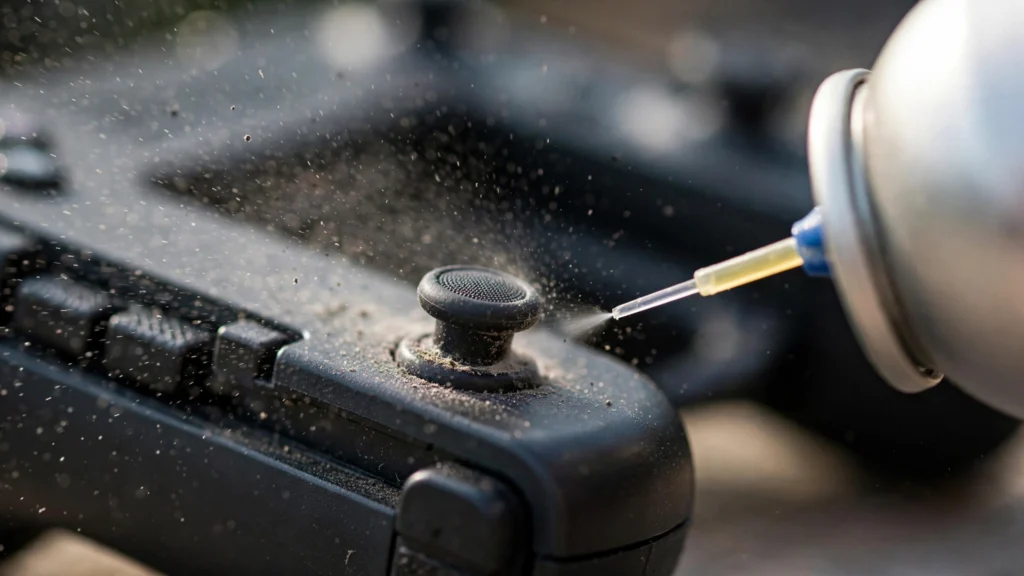
Dust and grime work their way under the thumbstick and confuse the sensors. With the Joy-Con detached and the Switch turned off, spray short bursts of compressed air around the base of the stick while tilting it in different directions. A soft brush helps loosen buildup. Let everything dry, reattach the Joy-Con, and test again. This simple cleaning saves a lot of Joy-Cons, but only when the problem is debris rather than worn contacts.
Nintendo’s Free Joy-Con Repair Program
If calibration and cleaning do not help, do not pay for a repair yet. Nintendo runs a Joy-Con repair program that covers drift, and in the US and several other regions the repair is free, even outside the warranty period. Set it up through Nintendo’s support site by searching “Joy-Con Repair Setup” or visiting Nintendo’s Joy-Con repair page, then fill in the form and Nintendo emails you a shipping label. Turnaround is usually around two weeks plus shipping time. If you want to understand what actually wears out inside the stick, iFixit’s Joy-Con drift guide explains the hardware failure in plain terms (https://www.ifixit.com/News/31285/nintendo-switch-joy-cons-failing-how-to-fix).
When to Replace Instead of Repair
Send the Joy-Con to Nintendo when the drift is constant and cleaning changed nothing. A free repair beats a new purchase every time. Consider replacing only if the controller is physically damaged, the rails or buttons are failing too, or you cannot be without it for two weeks. Some players install Hall effect sticks for a permanent fix, but that means opening the controller and voids the warranty. Our guide to fixing stick drift without opening the controller covers the safe options first.
FAQs
Can I test Joy-Con drift without turning on my Switch?
Yes. Pair your Joy-Con to a PC over Bluetooth and run the test in your browser. You get the same raw stick readings the console sees, without booting the Switch at all.
Will Nintendo fix my Joy-Con for free?
In many regions, including the US, Nintendo repairs drifting Joy-Cons free of charge, even outside the warranty period. Check Nintendo’s support site for your region before you pay anyone else.
Does recalibrating fix Joy-Con drift?
Sometimes. Recalibration helps when the stick is slightly off-center or the drift comes and goes. If the stick hardware is worn out, recalibration will not hold and the drift comes back.
How accurate is this Joy-Con drift test?
It reads your controller through the standard Gamepad API, the same raw input your PC sees, with no smoothing on top. That makes it a solid way to confirm drift before you spend money on a repair.