Controller Vibration Tester your controller’s vibration and rumble directly in your browser. Connect your gamepad, start a short test, and check whether it responds.
This tool is useful when a controller stops vibrating, feels weaker than usual, or you want to check it before a gaming session. You can test supported gamepads without installing a separate testing program.
A browser test is a quick functional check, not a laboratory measurement. If the controller is detected but no vibration is available, the cause can be the browser, platform, connection, controller support, or the hardware itself.
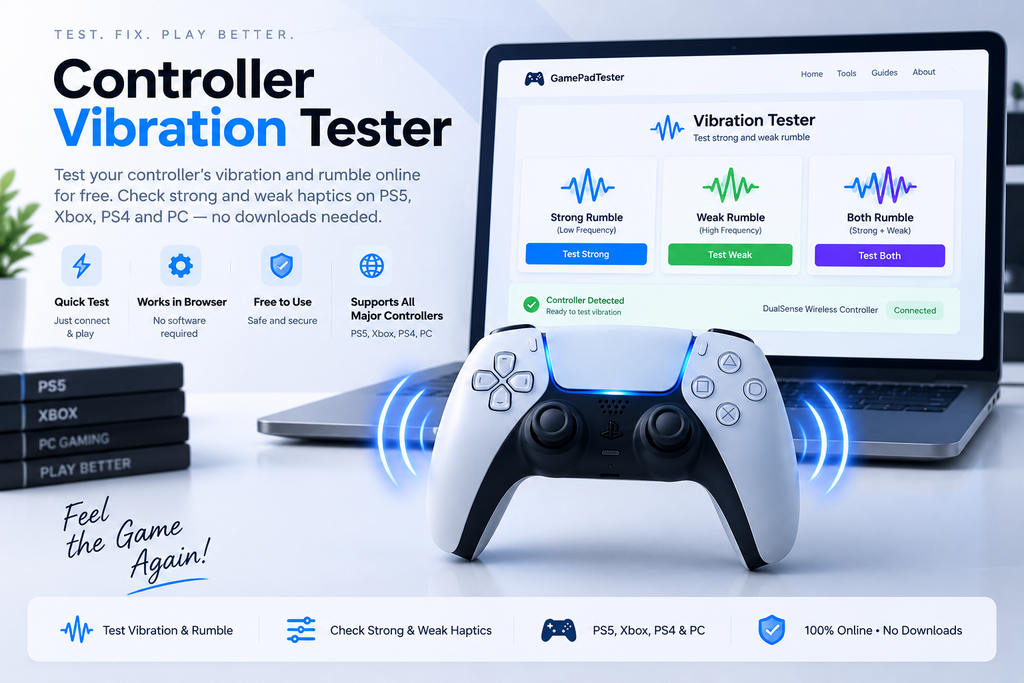
Strong Rumble
Low-frequency rumble
Weak Rumble
High-frequency rumble
Combined Rumble
Strong + weak vibration together
Quick Vibration Tests
Test Your Controller Vibration Online
Connect your controller and start with a short vibration command. Try the strong and weak rumble controls separately, then run them together so you can compare the response.
Keep the controller in your hand while testing. You should feel a clear rumble when the selected effect is supported and the command reaches the controller.
The result depends on your setup. Basic controller detection can work even when browser-accessible haptics are unavailable.
How to Test Controller Vibration
Testing takes only a few steps. Start with the connection, make sure the gamepad appears, and then run short vibration tests.
Connect Your Controller With USB or Bluetooth
Connect the controller to your PC with a USB cable or pair it through Bluetooth. For troubleshooting, USB is a useful first test because it gives you a simple wired baseline.
Detect Your Gamepad
Press a controller button or move a stick if the page asks you to activate the device. The tester can then read the gamepad information exposed by the browser.
You may see the controller name, connection state, buttons, axes, and other available data. Haptic information is separate, so a detected controller can still show no supported vibration feature.
Start the Vibration Test
Run a short test first. A brief pulse is enough to tell you whether the supported effect starts and stops.
After that, change the intensity and duration. There is no need to keep the controller vibrating continuously when a short test gives you the answer.
Test Strong and Weak Rumble
The standard dual-rumble model uses two intensity values. strongMagnitude controls the low-frequency strong rumble, while weakMagnitude controls the high-frequency weak rumble.
These values are normalized from 0.0 to 1.0. They are control values for the haptic effect, not a universal measurement of physical motor strength.
Do not assume strong means the left motor and weak means the right motor. The web API describes strong and weak rumble channels, while the physical design can differ between controllers.
Check the Vibration Result
A successful result means the browser was able to request a supported effect and the controller produced a physical response.
A missing response needs more testing. Try another connection or browser before deciding that the controller itself has failed.
What Does a Controller Vibration Tester Check?
A browser-based vibration test checks haptic effects that your current controller and browser make available to the page. It can request a vibration effect and let you compare different intensities and durations.
The test does not measure motor force, internal mechanical wear, or laboratory vibration levels. It is best used as a practical function check.
The browser’s haptic interface can expose supported controller effects when the setup allows them. Because support differs between devices and platforms, the tester should show that limitation clearly rather than treating every controller the same.
What Do Strong and Weak Vibration Mean?
Strong and weak rumble are two parts of the standard dual-rumble model. Strong rumble represents the low-frequency channel, while weak rumble represents the high-frequency channel.
The same setting can feel different on two controllers. The controller hardware, actuator design, firmware, and software handling all affect what you feel.
That is why a vibration tester should use clear labels such as Strong Rumble, Weak Rumble, and Both, rather than claiming that each setting represents a specific physical side of the controller.
Why Is My Controller Not Vibrating?
A controller may not vibrate because the browser does not expose its haptic feature, the current connection does not provide it, the controller is not supported by the setup, or there is a software or hardware problem.
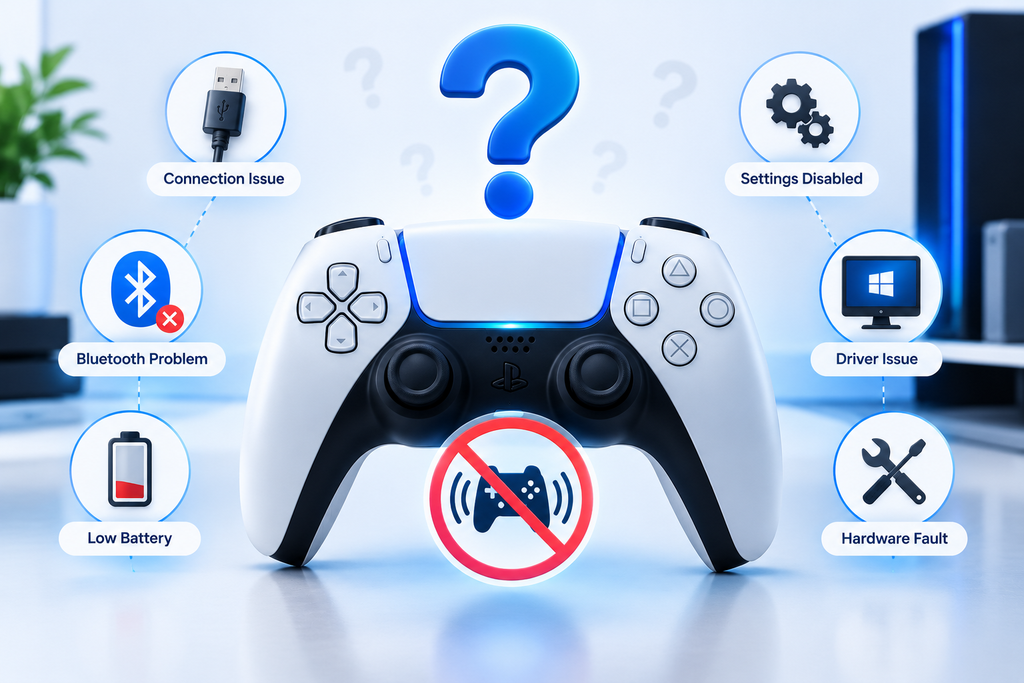
Start with the easy checks. Reconnect the controller, try USB, activate it on the page, and run a short test in another browser if needed.
Then compare the result with a game that normally uses vibration. That comparison can help separate a browser issue from a controller issue.
Why Does My Controller Vibrate in Games but Not in the Browser?
A native game and a browser do not have to use the same controller software path. A game may have access to platform-specific features that are not exposed through the browser.
This is why a browser failure does not automatically mean the vibration hardware has failed. Test the same controller over another connection or browser before making that diagnosis.
If the controller works normally in games, keep that result in your diagnosis. It shows that the controller can produce vibration even if the browser cannot access the same feature.
USB vs Bluetooth for Controller Vibration Testing
Both connections can be useful, but they are not equally helpful when you are trying to find the source of a vibration problem.
| Test factor | USB | Bluetooth |
|---|---|---|
| Connection type | Wired | Wireless |
| Best use | First troubleshooting check | Follow-up comparison |
| Setup | Plug in the controller | Pair the controller |
| Wireless interference | None from the controller connection | Possible |
| Useful for isolating connection issues | Yes | Yes |
| Vibration behavior | Depends on browser, OS, and controller | Depends on browser, OS, controller, and wireless path |
| Recommended approach | Establish a wired baseline first | Repeat after USB testing |
| If vibration fails | Try another browser and a known working game | Compare against USB before blaming hardware |
The table is a troubleshooting guide, not a guarantee that USB will always support vibration while Bluetooth will not. Your controller model, operating system, browser, drivers, and connection path can all affect the result.
Can a Vibration Test Tell If My Controller Is Broken?
It can provide useful evidence, but one browser test cannot prove every hardware fault.
A successful test shows that the browser requested a supported effect and the controller produced a physical response. A failed test can also come from missing browser support, platform limitations, controller compatibility, or the connection.
For a stronger diagnosis, compare the browser test, another browser or connection, and a game that normally uses vibration. When the controller fails across different environments, a hardware problem becomes more likely.
Why Does Only One Type of Rumble Respond?
Strong and weak are API channels, not universal left and right motor labels. One type may respond while the other does not because of controller hardware, firmware, or the way the browser exposes the feature.
Run each test more than once and try USB if you are using Bluetooth. Then compare the behavior with a game or another supported setup.
Do not replace a motor based on a single browser result. Confirm the problem in another environment first.
Why Is My Controller Vibration Weak?
A weak feeling does not always mean the motor is damaged. The intensity sent by the browser is normalized, and different controllers can produce different physical results at the same setting.
Check the battery, connection, and controller settings first. Then compare the same controller in a game and in the browser.
If the vibration is weak everywhere, the controller may have a power, firmware, or hardware issue. If it is weak only in the browser, investigate the browser setup first.
How Do I Test an Xbox Controller’s Vibration?
Connect the Xbox controller to your PC and activate it in the tester. Start with a short strong-rumble test, then check the weak setting and both together.
After that, test the controller in a game that uses vibration. This comparison helps show whether the issue is with the browser setup or the controller itself.
The exact result can change with the controller model, connection, operating system, and browser, so test the setup you actually use for gaming.
How Do I Test PS5 DualSense Vibration?
Connect the DualSense to your PC and activate it in the tester. Run a short vibration test, then compare strong and weak rumble.
The DualSense has advanced haptic hardware, but a browser test does not automatically reproduce every haptic feature available in a PS5 game. A web tester can only use the haptic effects that the current browser, platform, and controller expose.
For a PC diagnosis, compare the browser result with a game that you know supports the controller’s vibration or haptic feedback.
How Do I Test a PS4 Controller’s Vibration?
Connect the DualShock 4 to your PC and check that the browser detects it. Run a short vibration test and repeat it over another connection if needed.
If the controller works in a game but not in the tester, check the browser and connection before assuming a hardware problem.
For a better diagnosis, keep the same controller and compare the results across USB, Bluetooth, and a known working game when possible.
Does Every Gamepad Support Browser Vibration Testing?
No. Controller detection and haptic support are separate features.
A browser can detect a gamepad’s buttons and sticks without exposing its vibration controls. Support can also change between browsers, operating systems, connection methods, and controller models.
That is why a useful tester should report both states clearly: Controller Detected and Vibration Support Available.
Which Browser Is Best for a Controller Vibration Test?
There is no browser that guarantees the same haptic behavior for every controller and computer. The Gamepad API is broadly available, but the haptic parts have more limited support.
Start with a current desktop browser and test the controller directly. If vibration does not respond, try another current browser and compare the result.
The important thing is the full setup, not the browser name alone. Controller model, operating system, connection method, and browser support all matter.
What Is Controller Vibration, Rumble, and Haptic Feedback?
Controller vibration is physical feedback produced when software asks the gamepad to create a vibration effect. Gamers often call this rumble, while haptic feedback is a broader term for physical feedback from controller actuators.
Traditional rumble can make the controller shake during events such as impacts, crashes, or other actions in a game. Newer controllers can provide more detailed effects with different strengths, frequencies, and trigger feedback.
The browser Gamepad API can expose some of these features when the setup supports them. What you can test on a website depends on what the browser and controller make available.
How Browser Vibration Testing Works
Your browser can expose a connected gamepad through the Gamepad API. The page can read information about buttons and axes, and supported haptic interfaces can send vibration commands.
For a dual-rumble effect, the browser can request a duration and separate strong and weak magnitudes. The controller then handles that command using its own hardware and firmware.
This is why the page can tell you whether a supported effect responded, but it cannot directly measure the physical strength of the motor. A browser tester is a functional check, not a hardware laboratory.
How to Fix Controller Vibration Not Working
Start with the connection. Reconnect the controller, try a USB cable, activate the gamepad on the page, and run a short test.
If there is still no response, try another browser and check vibration in a game that you know supports it. Also check the controller battery, system settings, firmware, and any software that remaps the controller.
If vibration works in the game but not the browser, the controller may be fine. If it fails in several different environments, the evidence for a controller-side problem is stronger.
Controller Vibration Test Methodology
A good test should use short, repeatable effects. Start with moderate intensity, test strong rumble, test weak rumble, and then combine them.
Change one variable at a time. For example, keep the controller and browser the same while changing USB to Bluetooth, then compare the results.
This makes troubleshooting easier because you can see which change affected the result. It is much more useful than changing the browser, cable, controller, and game at the same time.
What Is the Difference Between Strong and Weak Rumble?
Strong rumble is the low-frequency part of the standard dual-rumble effect. Weak rumble is the high-frequency part.
The browser sends normalized intensity values rather than a physical measurement of the motor. Two controllers can receive the same value and still feel different in your hands.
That difference is normal. The controller’s hardware determines how the requested effect feels.
Can a Browser Test Reproduce PS5 DualSense Haptics?
Not every DualSense feature is available through the browser. A web page can only use haptic effects that the current browser and platform expose through the Gamepad API.
A standard vibration test is therefore useful for checking supported browser-accessible rumble, but it should not be described as a complete test of every proprietary PS5 haptic effect.
For a full controller check, compare the browser test with a game that uses the DualSense features you want to test.
Controller Vibration Safety and Best Practices
Use short vibration tests while checking the controller. There is usually no need to keep the motor running continuously when a brief test can confirm the response.
Hold the controller securely during testing and stop if you notice unusual heat, a burning smell, physical damage, or a new mechanical noise.
The purpose of the test is to check normal operation, not to put unnecessary stress on the controller.
Common Controller Vibration Test Results
Vibration Response Detected
The browser requested a supported effect and the controller produced a physical response. You can repeat the test with another intensity to compare the behavior.
Controller Detected, Vibration Unsupported
The browser can see the gamepad, but the haptic feature or effect is not available to the page. Try another browser or connection before treating this as a hardware fault.
No Vibration Response
Repeat the test over USB and try another browser. Then compare the controller with a known working game.
Vibration Works in Games Only
The controller can produce vibration, but the browser setup may not expose the same feature. This result points you toward software or browser compatibility rather than immediately toward hardware repair.
Strong or Weak Rumble Works, but the Other Does Not
Repeat the test and change the connection if possible. One missing response is not enough to identify a physical motor failure because the browser may expose the two channels differently.
When Should You Worry About a Controller Hardware Problem?
Start to suspect hardware when the problem follows the controller across different environments. For example, if vibration fails over USB, Bluetooth, another browser, and a known working game, the issue is no longer limited to one browser page.
Also pay attention to changes in behavior. A controller that used to vibrate normally but now produces no response anywhere deserves closer inspection.
Before opening the controller, confirm the result more than once. A consistent failure across different setups gives you better evidence than one unsuccessful browser test.
FAQS
What is a controller vibration tester?
It is a browser-based tool that sends supported haptic commands to a connected gamepad. It helps you check whether the controller responds to vibration without opening a game first.
How do I test controller vibration online?
Connect the controller, activate it in the browser, and run a short vibration test. Try strong and weak rumble separately, then compare the result with a game if needed.
Can I test controller vibration without downloading software?
Yes, when your browser and controller support the required Gamepad API haptic features. The test runs in the browser instead of requiring a separate controller-testing program.
Why is my controller not vibrating?
The cause may be browser support, controller compatibility, the connection, system settings, firmware, or hardware. Try USB, another browser, and a known working game before making a hardware diagnosis.
Can I test Xbox controller vibration on PC?
Yes, when the controller and your PC setup expose a supported haptic feature. Connect the controller, activate it, and run a short vibration test.
Can I test PS5 DualSense vibration on PC?
A DualSense can expose browser-accessible haptic effects in supported setups, but a browser test does not guarantee access to every DualSense feature used by native PS5 games.
Why does my controller vibrate in games but not in the browser?
Games and browsers can use different controller paths. A game may support a haptic feature that your current browser does not expose.
Does Bluetooth affect controller vibration?
It can. Test USB as a comparison because the connection path can change how controller features are exposed to the computer.
Does strong vibration mean the left motor is working?
Not necessarily. Strong and weak are standard rumble channels, not universal left and right motor labels.
Can a vibration tester prove that a controller is broken?
No. It can give you useful evidence, but a failed browser test can also come from compatibility or platform limits. Compare the controller across more than one setup.
Is weak vibration always a bad motor?
No. Different controllers can feel different at the same requested intensity. Check the battery, connection, browser, and a known working game before blaming the motor.
Can I test controller vibration with Bluetooth?
Yes, when the controller, browser, and platform support the required haptic feature. If the test fails, compare it with a USB connection.
Can browser testing check adaptive triggers?
Only when the browser and controller expose the relevant haptic effect. Trigger rumble is a separate capability from standard dual-rumble.
What should I do if vibration works in a game but not in the tester?
Try another browser and a USB connection. If the controller still vibrates normally in games, the browser setup may be the limitation.
More Controller Tests
Once the vibration check is complete, test the rest of the controller. Check buttons for missed presses, move the analog sticks to look for unwanted input, and test the triggers through their full range.
You can also use a Gamepad Tester, Button Tester, Joystick Tester, Stick Drift Tester, Trigger Tester, or Deadzone Tester for a broader controller check.
Running several tests helps you tell the difference between a vibration-only problem and a wider controller issue.