Controller Trigger Not Reaching 100%: Causes and Fixes
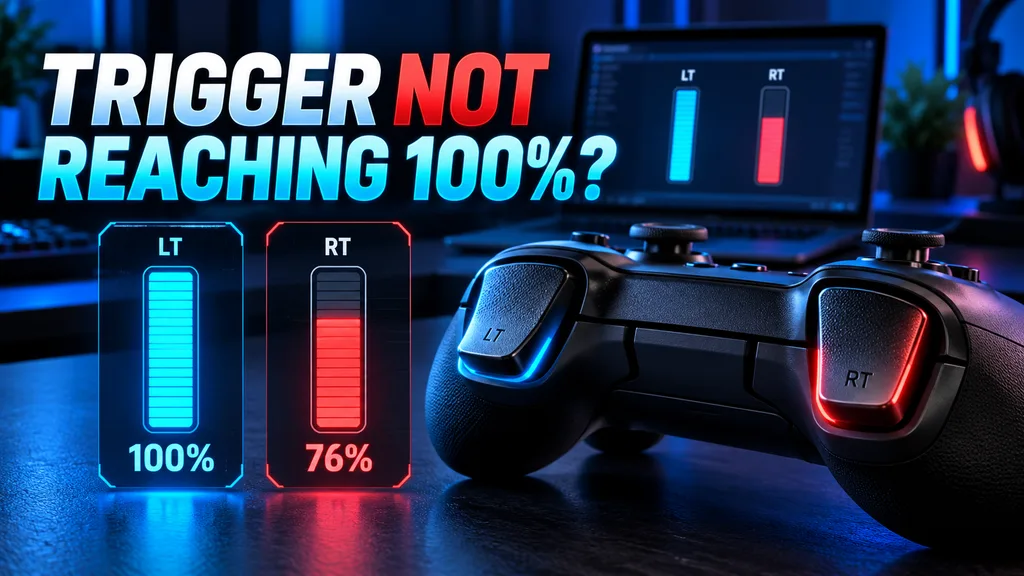
If your controller trigger is not reaching 100%, test it outside the game before assuming it is damaged. A smooth trigger that stops at 0.95 may need a profile adjustment, while one that jumps, flickers or repeatedly stops at 0.76 may have a calibration, sensor or mechanical problem.
Use the steps below to test LT, RT, L2 and R2, understand the reported values and find the correct fix.
Quick Answer: Why Is My Controller Trigger Not Reaching 100%?
A controller trigger may stop below 100% because a trigger lock is enabled, the outer deadzone was changed, the controller needs calibration, Steam Input is modifying the range or the trigger mechanism cannot complete its normal movement.
First, open the Controller Trigger Test and pull each trigger slowly three times. Compare the maximum value, resting value and movement of the left and right triggers.
Do not diagnose the controller from one number alone. A stable short range and an unstable jumping signal do not indicate the same problem.
How Do You Test LT, RT, L2 and R2?
Follow this process before changing any settings:
- Connect the controller through USB or Bluetooth.
- Open the LT and RT Trigger Test.
- Press any controller button to activate detection.
- Release both triggers completely.
- Reset the test results.
- Pull the left trigger slowly from released to fully pressed.
- Release it slowly.
- Repeat the movement three times.
- Perform the same test with the right trigger.
- Record the resting value and highest value for each side.
During the test, watch for:
- The maximum value
- Input at rest
- Smooth movement
- Sudden jumps
- Flat spots
- Delayed response
- Different results between the two triggers
- Failure to return to zero
Test with the controller’s default profile and disable trigger stops before recording the final result.
What Does 100% Mean on a Controller Trigger?
Modern Xbox and PlayStation triggers are analog inputs. Unlike a normal button that is simply on or off, an analog trigger can report how far it has been pressed.
Browsers normally display the trigger through the Gamepad API using a value between:
| Displayed value | Meaning |
|---|---|
0.00 | Trigger is fully released |
0.25 | Trigger is pressed approximately one quarter |
0.50 | Trigger is pressed approximately halfway |
0.75 | Trigger is pressed approximately three quarters |
1.00 | Full normalized trigger input |
The MDN GamepadButton documentation defines 0.00 as released and 1.00 as fully pressed.
A test result of 0.76 is therefore displayed as 76%, while 0.95 is displayed as 95%.
Does a Trigger Have to Reach Exactly 1.00?
A normalized value of 1.00 is the ideal full-range result, but a reading below it does not automatically prove that the controller is faulty.
There is no single manufacturer-approved browser-test threshold that applies to every controller, operating system and input mode.
Use this table as a troubleshooting guide, not as a universal warranty standard:
| Maximum value | What to do |
|---|---|
1.00 | Full normalized input is being reported |
0.97–0.99 | Retest before changing settings |
0.90–0.96 | Check profiles, trigger stops and in-game range |
0.80–0.89 | Calibration or range limitation needs investigation |
Below 0.80 | Significant range loss if repeated across different tests |
| Jumps between values | Check software, sensor stability or physical movement |
Remains above 0.00 | Trigger may not be returning fully to its resting position |
The difference between 0.99 and 1.00 may be irrelevant in a game that applies an outer deadzone. A trigger that repeatedly stops at 0.76, however, can prevent full acceleration or another maximum-strength action unless the game rescales the input.
What Does a Trigger Value of 0.76 Mean?
A maximum value of 0.76 means the browser receives 76% of the normalized trigger range.
This can produce noticeable problems in games that expect a higher raw input. For example:
- A racing game may not provide full throttle.
- Braking power may stop below its maximum.
- A game may not recognize a full trigger pull.
- A pressure-sensitive action may remain incomplete.
- A charging or aiming action may respond differently.
Some games and controller applications let you change the maximum-input point or outer deadzone. If the software treats 0.76 as the new maximum, it can convert the available range to 100%.
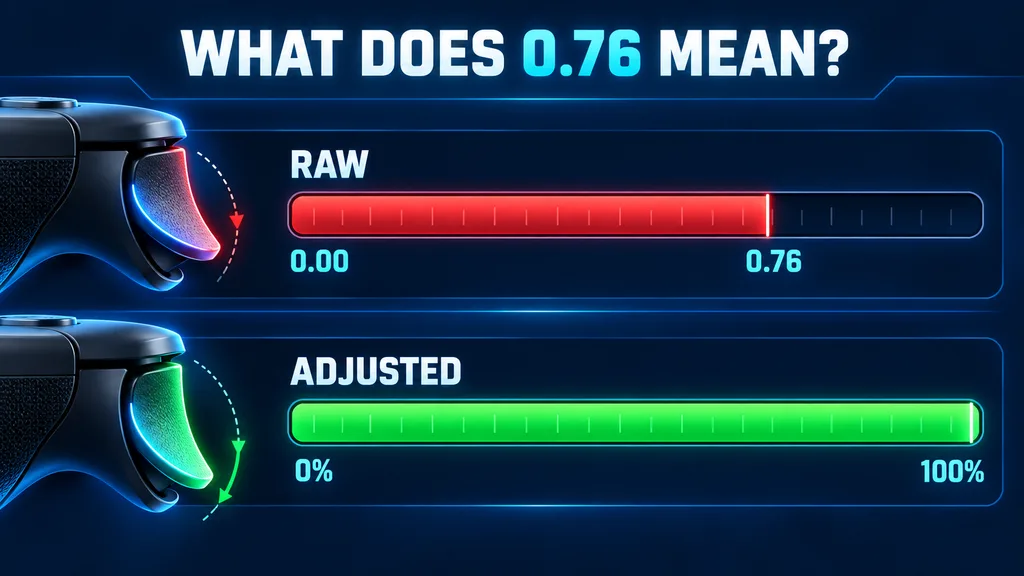
The basic calculation is:
Adjusted output = raw value ÷ measured maximum
If the measured maximum is 0.76:
| Raw trigger value | Adjusted output |
|---|---|
0.19 | 25% |
0.38 | 50% |
0.57 | 75% |
0.76 | 100% |
This can restore full in-game output, but it compresses the remaining trigger range. It is a workaround, not proof that the hardware has been repaired.
Microsoft’s XInput guidance confirms that applications can apply trigger thresholds, normalize the available range and use non-linear response adjustments.
What Does Your Trigger Test Result Mean?
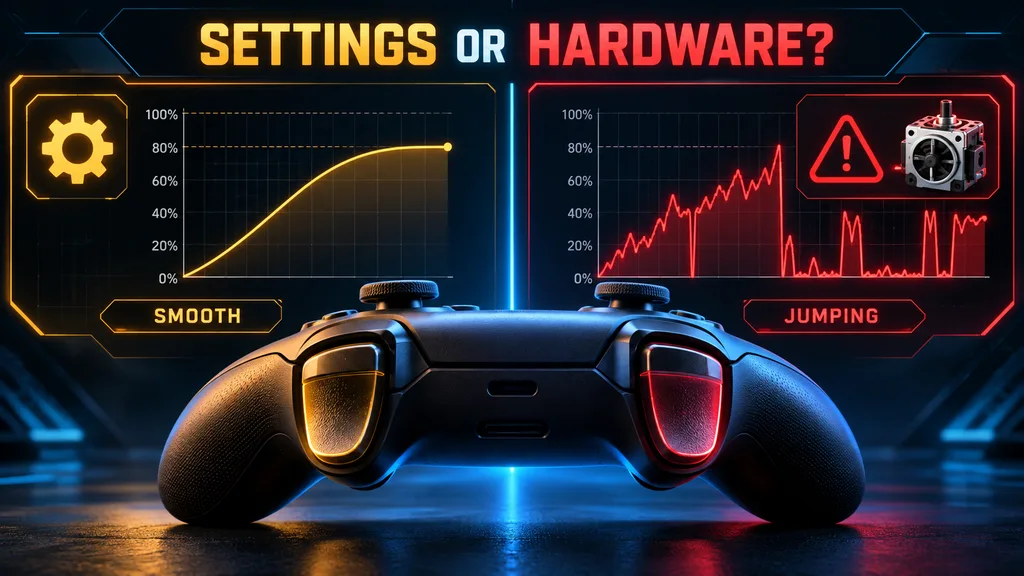
Use the entire signal pattern to identify the likely problem.
| Resting value | Maximum | Signal behavior | Likely explanation |
|---|---|---|---|
0.00 | 1.00 | Smooth | Normal browser-reported range |
0.00 | 0.98 | Smooth | Small difference; repeat the test |
0.00 | 0.76 | Smooth | Calibration, profile, trigger stop or reduced physical range |
0.10 | 1.00 | Smooth | Trigger is not fully releasing |
0.00 | 0.80 | Jumping | Unstable sensor, obstruction, wear or software conflict |
0.00 | 1.00 | Reaches maximum too early | Short-trigger mode or aggressive outer deadzone |
0.00 | 1.00 in the tester only | Smooth | Game or remapping configuration |
0 | 1 only | Instant change | Digital trigger or digital input mode |
These patterns help separate a software limitation from a possible hardware problem.
Why Does a Controller Trigger Stop Before 100%?
A trigger stop or hair-trigger mode is enabled
Many pro controllers have physical switches that reduce LT, RT, L2 or R2 travel. These are designed for fast activation in shooting games.
Check the rear of the controller for:
- Trigger-stop switches
- Hair-trigger locks
- Short-stroke sliders
- Full-travel and short-travel modes
Return both triggers to full-travel mode and test them again.
Sony confirms that the DualSense Edge has long, medium and short L2/R2 stroke settings. The official DualSense Edge customization guide also allows users to test and adjust the trigger input range.
Some controllers automatically remap a shortened physical pull to full input. Others require the correct software profile. If a trigger stop physically limits travel without remapping the input, the tester may show a reduced maximum.
The outer deadzone or maximum-input point was changed
An outer deadzone controls how far a trigger must move before the software treats it as fully pressed.
For example:
- Maximum point at 100% requires the complete trigger range.
- Maximum point at 80% treats an 80% pull as full input.
- Maximum point at 60% makes the trigger reach full output much earlier.
A customized outer deadzone can make the tester and game appear to disagree, particularly when one reads the physical controller and the other reads a virtual controller.
Reset trigger sensitivity, maximum range and response curves to their default values before testing.
The controller needs calibration
Calibration teaches supported controller firmware or software where the released and fully pressed positions are.
A poor calibration can cause:
- Failure to reach 100%
- Early 100% activation
- Input remaining after release
- Different left and right ranges
- Flat areas during the pull
Do not use a random calibration button combination from another controller model. The correct process depends on the manufacturer and exact hardware revision.
Use the official app or manual for your controller.
Steam Input or another application is modifying the signal
Software can change trigger behavior before it reaches a game.
Common examples include:
- Steam Input
- DS4Windows
- reWASD
- Manufacturer controller apps
- Emulator profiles
- Virtual Xbox-controller drivers
- Game-specific controller profiles
These tools can change the deadzone, response curve, trigger range or analog-to-digital behavior.
For a clean test:
- Save your current profile.
- Restore the default trigger settings.
- Close unnecessary remapping software.
- Disconnect and reconnect the controller.
- Repeat the browser test.
- Reopen each application one at a time.
If the trigger is normal before a remapper starts and changes afterward, investigate that software profile before repairing the controller.
The controller is using the wrong input mode
Some third-party controllers support several modes, including:
- XInput
- DirectInput
- Android mode
- Nintendo Switch mode
- Digital-trigger mode
The same trigger can appear differently in each mode. One mode may provide gradual analog input, while another may treat it as an on/off button.
Check the controller manual and select the recommended PC or XInput mode when testing on Windows.
Dirt is restricting trigger movement
Dust or debris around the trigger can prevent it from completing its physical travel.
With the controller disconnected:
- Inspect the gap around the trigger.
- Check whether LT and RT have equal movement.
- Listen for scraping or clicking.
- Look for a trigger that sits higher than the other.
- Use dry air around the exterior gap if necessary.
Do not pour liquid cleaner into the controller. Opening the shell may affect the warranty and should not be the first troubleshooting step.
The sensor or mechanical assembly is worn
Analog triggers may use different sensing and mechanical systems depending on the controller. A spring, plastic component, potentiometer, Hall-effect sensor or magnet can become damaged or misaligned.
Possible hardware symptoms include:
- One trigger consistently stops far below the other
- The value jumps during a slow pull
- The trigger physically sticks
- The value does not return to zero
- The result changes when the trigger is moved sideways
- Calibration does not improve the result
- The same failure appears on multiple devices
The exact replacement part depends on the controller model and revision. Avoid buying a generic “trigger sensor” before confirming the internal design.
How Do You Fix a Controller Trigger Not Reaching 100%?
Use these fixes in order:
1. Disable trigger stops
Set all trigger-stop switches to full travel. Pull each trigger several times and repeat the test.
2. Restore default trigger settings
Reset:
- Trigger deadzone
- Maximum-input point
- Trigger sensitivity
- Response curve
- Hair-trigger profile
- Analog-to-digital conversion
Retest before creating a new profile.
3. Compare LT with RT or L2 with R2
If both triggers stop at the same value, software, mapping or controller mode becomes more likely.
If one reaches 1.00 and the other repeatedly stops at 0.76, investigate the individual trigger’s calibration and physical movement.
This comparison is not absolute proof, but it is a useful diagnostic clue.
4. Test USB and wireless separately
If the controller supports both connections:
- Test through Bluetooth or the wireless receiver.
- Record both trigger results.
- Connect through a USB data cable.
- Repeat the same pulls without changing settings.
A reduced maximum is not automatically caused by Bluetooth. This comparison simply shows whether the behavior changes between driver or connection paths.
5. Update official firmware
Use the manufacturer’s official application to check for controller firmware updates.
Firmware can correct certain reporting, profile or connection problems. It cannot repair a cracked trigger, worn mechanism or physically unstable sensor.
6. Calibrate using the official procedure
Before calibration:
- Disable trigger stops.
- Use full-travel trigger mode.
- Leave triggers completely released when requested.
- Pull each trigger smoothly through its full range.
- Do not press triggers halfway unless the instructions say so.
- Save the calibration.
- Disconnect and reconnect the controller.
- Repeat the online test.
ASUS, for example, instructs users of its supported Raikiri controller to select Full Travel Trigger Mode before calibrating LT and RT. Other brands may use a different procedure.
7. Reset the game’s controller profile
If the trigger reaches 1.00 in the online tester but fails in one game:
- Restore the game’s controller defaults.
- Check LT and RT deadzone settings.
- Check acceleration or braking saturation.
- Disable custom Steam Input profiles.
- Remove conflicting virtual controllers.
- Test another game.
A correct browser result shows that the browser is receiving the full trigger range. It does not guarantee that every game uses the same settings.
8. Use an outer-deadzone workaround carefully
If the trigger is smooth and stable but stops slightly below full input, a supported outer-deadzone adjustment may restore maximum game output.
Use the smallest adjustment that solves the problem.
Do not use a large outer deadzone to hide:
- Flickering values
- Sudden jumps
- Failure to return to zero
- Rapidly worsening range
- Physical sticking
Those symptoms require further diagnosis.
9. Use warranty or professional repair
Contact the manufacturer or retailer when:
- The controller is new
- The fault occurs with default settings
- Calibration does not help
- One trigger is clearly worse than the other
- The mechanism feels damaged
- The controller remains under warranty
Opening a controller during its warranty period may reduce your available support options.
Why Does the Trigger Work in the Tester but Not the Game?
If the trigger reaches 1.00 in the tester, the controller and browser are receiving a full normalized input.
The game may still behave differently because it uses:
- Its own trigger deadzone
- A Steam Input profile
- A virtual controller
- A digital firing threshold
- A throttle or brake saturation setting
- A custom response curve
- A controller-specific preset
Racing games may provide separate throttle and brake saturation controls. Shooters may use a trigger threshold rather than the full pressure range.
Reset the game’s controller settings before changing the physical controller.
Why Does the Game Show 100% but the Tester Shows 76%?
The game may be applying an outer deadzone or normalization.
For example, it can treat the controller’s maximum raw value of 0.76 as full game input. The browser tester may still show the original reported value.
Another possibility is that:
- The browser reads the physical controller.
- The game reads a virtual controller created by Steam Input or another remapper.
Check the controller names shown in each application. They may not be reading the same device layer.
How Do You Fix an Xbox Trigger Not Reaching 100%?
For an Xbox controller:
- Disable trigger locks if the model has them.
- Restore the default controller profile.
- Test LT and RT through USB.
- Close Steam Input temporarily.
- Check for firmware updates through the official Xbox Accessories app.
- Test the controller in more than one game or input tool.
- Compare the physical movement of LT and RT.
- Use warranty support if one trigger remains limited.
Do not assume the Xbox Accessories app can repair physical trigger damage. Firmware and profile changes only solve software-level problems.
How Do You Fix a PS5 or PS4 Trigger Not Reaching 100%?
For DualSense or DualShock 4:
- Test L2 and R2 through USB.
- Close DS4Windows temporarily.
- Reset Steam Input to its default profile.
- Update the controller through the official PlayStation Accessories application when supported.
- Compare the raw physical controller with any virtual Xbox controller.
- Check whether adaptive trigger resistance is active in the game.
- Inspect the trigger for uneven or restricted movement.
For DualSense Edge:
- Set the L2/R2 stop sliders to long stroke.
- Check the active profile.
- Reset the trigger input range.
- Use the official Test Your Controller screen.
- Retest after applying the default profile.
Adaptive trigger resistance changes how the trigger feels. It should not be confused with proof that the raw trigger sensor cannot reach its full reported range.
Why Do Switch Pro Triggers Show Only 0% or 100%?
The Nintendo Switch Pro Controller uses digital ZL and ZR buttons rather than pressure-sensitive analog triggers.
This means the expected result is usually:
0when released1when pressed
You should not expect a smooth 10%, 25%, 50% and 100% progression from a digital trigger.
Some third-party Switch-style controllers may include analog triggers in another operating mode. Check the exact model specifications.
What If a Generic Controller Trigger Does Not Reach 100%?
First identify the controller’s current input mode.
A generic controller may expose triggers as:
- Separate analog buttons
- Separate axes
- One shared axis
- Digital buttons
- Virtual Xbox triggers
Try the manufacturer’s recommended PC mode and reconnect the controller.
If the browser does not detect the controller at all, follow the Controller Not Detected in Browser guide before diagnosing the triggers.
When Should You Repair or Replace the Controller?
Consider repair or replacement when all of the following are true:
- Trigger stops far below full range
- The result is repeatable
- Default profiles are active
- Trigger stops are disabled
- Official calibration does not help
- The same fault appears through USB and wireless
- The issue appears on another device
- One trigger performs much worse than the other
A trigger that jumps, sticks or fails to return to zero provides stronger evidence of a hardware problem than a stable result of 0.98.
How We Interpret Trigger Results
Game-PadTester uses the following diagnostic process:
- Test with the default controller profile.
- Disable physical trigger stops.
- Release both triggers before resetting the results.
- Pull each trigger slowly three times.
- Record the resting and maximum values.
- Compare the left and right triggers.
- Watch the full input curve.
- Compare USB and wireless when available.
- Test outside the game.
- Avoid diagnosing from one unusual pull.
Our percentage ranges are troubleshooting guides rather than manufacturer warranty limits. Controller models, input modes, drivers, browser mappings and games can process trigger input differently.
FAQS
Why is my controller trigger not reaching 100%?
Common causes include a trigger stop, customized outer deadzone, incorrect calibration, remapping software, the wrong controller mode, dirt, sensor wear or restricted physical movement.
Is a trigger value of 0.95 acceptable?
A stable value of 0.95 may work normally in a game that applies an outer deadzone. Test both triggers and check whether the game provides full throttle or maximum action before changing anything.
Is 0.99 the same as 100%?
0.99 is technically below the normalized maximum of 1.00, but the practical difference may be insignificant. Repeat the test and compare the result across games.
What does 0.76 mean on a controller trigger?
It means the tester receives 76% of the normalized trigger range. A game can sometimes rescale that range, but a repeatable 0.76 result should be investigated.
Why does one trigger reach 100% while the other stops early?
The affected trigger may have separate calibration, restricted movement, contamination, sensor wear or a mechanical fault. Compare both triggers using default settings.
Why does my trigger reach 100% too early?
A trigger stop, hair-trigger profile, short-stroke mode or reduced maximum-input point can make the trigger reach full output before completing its physical movement.
Why does the trigger not return to zero?
The trigger may be physically sticking, incorrectly calibrated or reporting unstable resting input. Remove custom profiles and compare its physical position with the other trigger.
Can Steam Input change the trigger range?
Yes. Steam Input profiles can change deadzones, response behavior and analog-to-digital actions. Compare the trigger with Steam closed and open.
Does Bluetooth reduce trigger range?
Bluetooth should not automatically reduce the analog maximum. Compare USB and Bluetooth to determine whether the behavior is connection-specific.
Can dirt stop a trigger from reaching full input?
Yes. Dirt or debris can restrict physical travel. Inspect the exterior gap without pouring liquid into the controller.
Do trigger stops prevent 100% input?
A correctly configured pro controller may remap short travel to full input. If the trigger stop limits physical travel without the correct profile, the reported maximum may remain below 100%.
Should I recalibrate or replace the controller?
Calibrate first if the signal is smooth and the manufacturer supports trigger calibration. Consider repair or replacement when the value jumps, sticks or remains severely limited after default settings and official calibration.
Test Your Controller Triggers
Open the Controller Trigger Test and check the resting value, maximum value and full response curve of LT, RT, L2 and R2.
Test each trigger three times before deciding whether the problem comes from settings, calibration Tester or hardware.